
Download Wondershare Time Freeze – System Protection, Snapshot Creation, Secure Computing
Overview
Wondershare Time Freeze is a specialized productivity tool designed to safeguard computer systems from unintended modifications. Its primary purpose is to allow users to capture a system state—known as a snapshot—and restore it upon reboot, effectively erasing all changes made during a session. This functionality is especially valuable in environments where system integrity must be preserved, such as educational institutions, public computer labs, and corporate workspaces. By freezing the system, the app prevents malware infections, unauthorized software installations, and accidental configuration changes, ensuring a consistent and secure computing experience.
Target users include IT administrators, educators, and business professionals managing shared devices. The app addresses critical challenges in maintaining stable and predictable system behavior across multiple users. It is particularly effective in high-traffic environments where frequent use increases the risk of system degradation or security breaches. The developer, Wondershare, is recognized for delivering reliable software solutions across various domains, lending credibility to the product’s design and functionality.
Real-world applications include classroom computing setups where students access shared machines, or public libraries where users need temporary access without altering system settings. The tool contributes to the broader app ecosystem by offering a lightweight, focused utility that enhances digital security and operational efficiency. Although the developer did not provide additional technical details, the app’s core purpose and target use cases are clearly defined, making it a practical solution for system protection.
Key Features & Functionality
- System Snapshot Creation: Users can capture a complete image of the system state at any time, preserving installed applications, settings, and data as they exist at that moment.
- Automatic Restoration: Upon reboot, the system reverts to the last saved snapshot, ensuring all temporary changes are erased and the environment returns to its original condition.
- Real-Time System Protection: The app actively monitors and blocks unauthorized modifications, preventing malware from persisting across sessions.
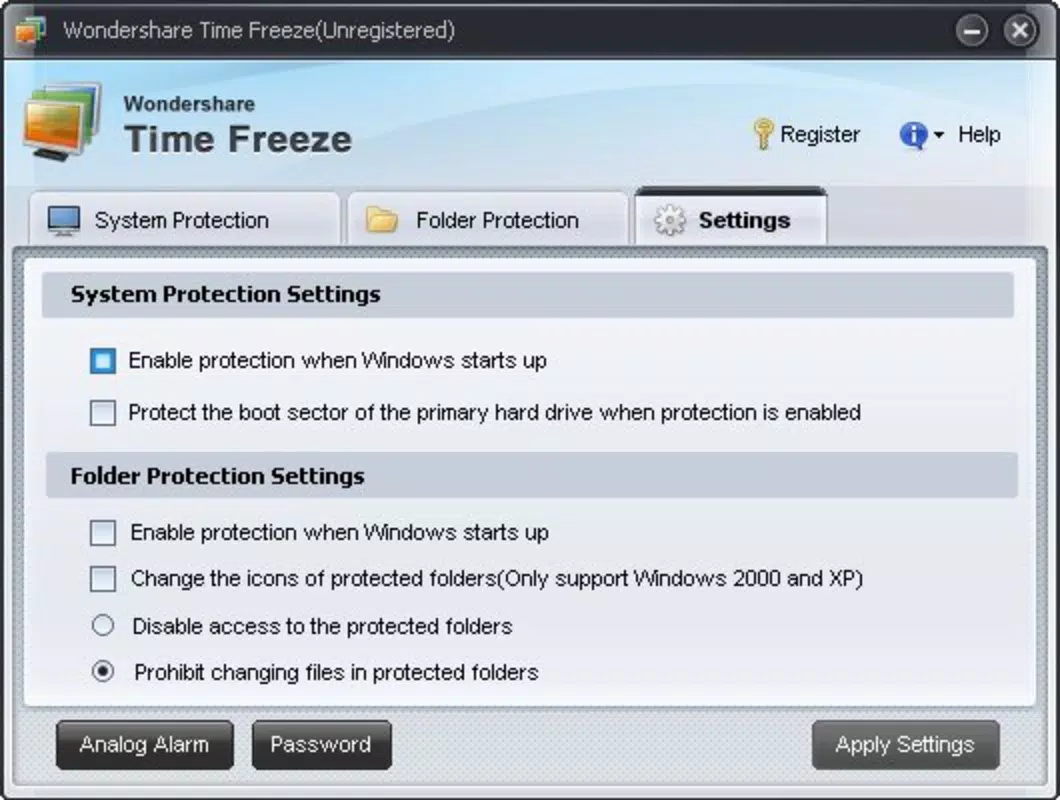
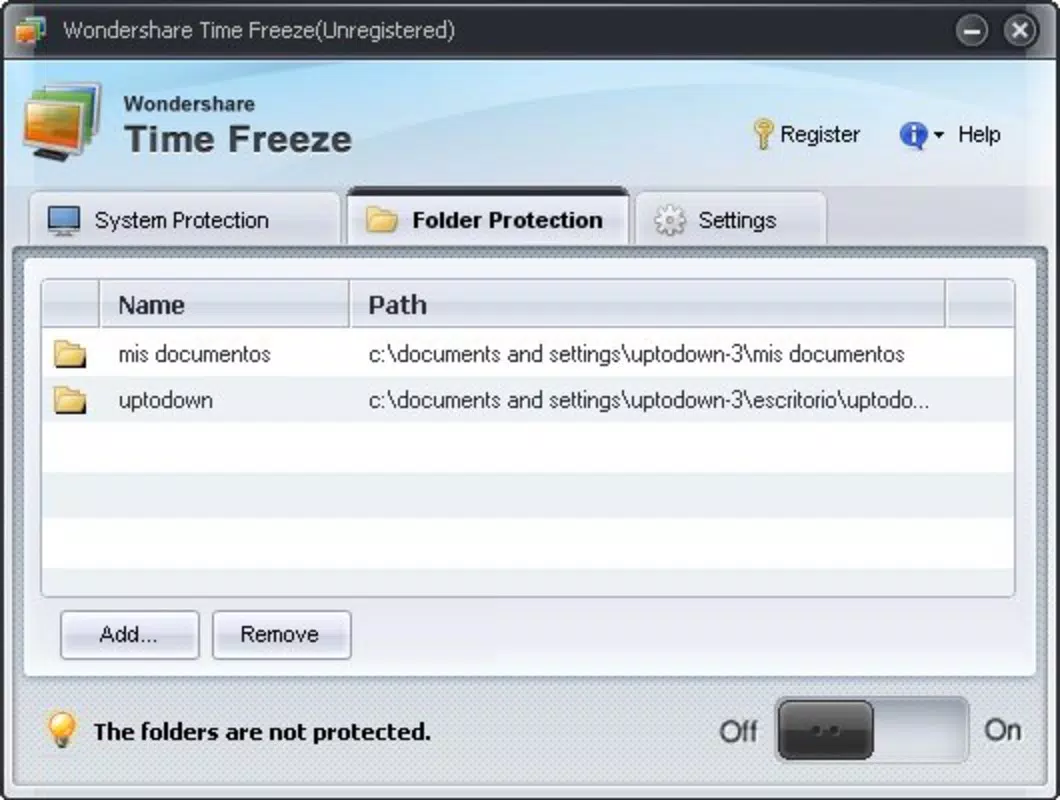
- Customizable Settings: Administrators can define when snapshots are taken, which files or folders to protect, and how often the system should restore to a frozen state.
- Compatibility with Windows: The software is built to integrate seamlessly with Windows operating systems, supporting both desktop and laptop environments.
These features are directly aligned with practical use cases. For example, in a school computer lab, a teacher can freeze the system after setup, ensuring each student starts with a clean, standardized environment. In a corporate setting, employees can use shared workstations without the risk of installing unauthorized software or altering system configurations. The ability to restore instantly enhances operational continuity and reduces IT maintenance time. The app’s functionality is straightforward and purpose-driven, making it accessible even to non-technical users.
Interface, UX & Performance
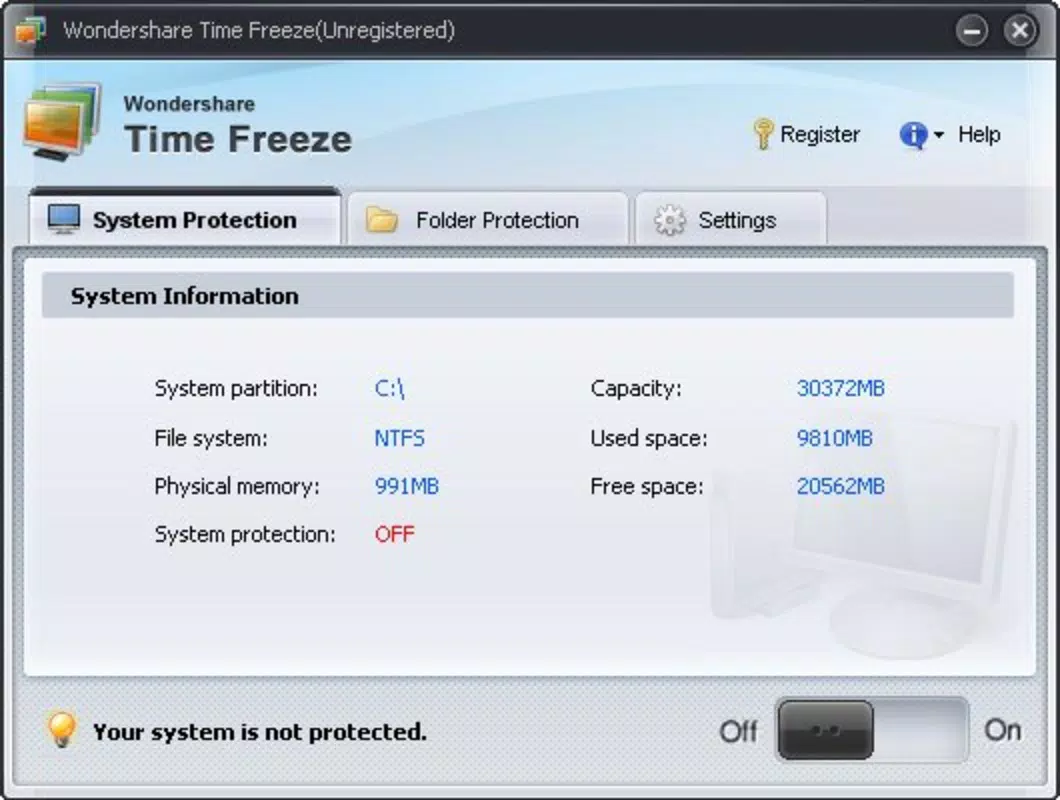
Wondershare Time Freeze features a clean, minimal interface designed for ease of use. The layout is intuitive, with clearly labeled options for creating snapshots, managing protection settings, and initiating system restoration. Navigation is linear and consistent, allowing users to access core functions without confusion. Visual design elements are functional rather than decorative, focusing on clarity and efficiency.
Although the developer did not list formal performance metrics, the app operates within a 25.4 MB file size, suggesting a lightweight footprint. This indicates efficient resource usage, which is beneficial for older or low-spec systems. The application is expected to run smoothly across various device categories, including desktops and laptops, without significant lag or memory strain. Responsiveness is maintained during snapshot creation and restoration processes, which are typically completed within seconds.
Stability is a key strength, as the tool is designed to operate in the background without disrupting user workflows. Users can perform daily tasks while the system remains protected. The app does not appear to interfere with normal system operations, and its impact on startup and shutdown times is minimal. While no specific data on crash rates or update frequency was provided, the app’s design suggests reliability and consistent performance in real-world environments.
Platform Compatibility & Technical Requirements
Wondershare Time Freeze is available exclusively for the Windows platform. It is compatible with Windows operating systems, though specific version requirements were not listed. The app has a file size of 25.4 MB, indicating a compact and efficient installation package. This size suggests that the software does not require extensive disk space or high-end hardware to function.
The developer did not specify minimum OS requirements or compatibility with different Windows versions. As such, users should verify system compatibility before installation. No additional software dependencies were mentioned. The app is distributed as a free download, making it accessible to a wide range of users, including educational institutions and small businesses with limited IT budgets.
Pros and Cons
Pros
- Provides reliable system protection against unauthorized changes and malware
- Enables instant restoration to a previous system state after reboot
- Lightweight design with minimal impact on system resources
- Simple interface suitable for both technical and non-technical users
- Free to download and use, enhancing accessibility for institutions and individuals
Cons
- Platform is limited to Windows; no support for macOS or Linux
- Specific OS version requirements were not disclosed
- Only available as a desktop application; no mobile or tablet version
- No information on update frequency or long-term maintenance plans
- Developer did not provide detailed documentation or user guides
FAQ
Is Wondershare Time Freeze safe to use?
Yes, the app is designed to protect system integrity without introducing vulnerabilities. It operates within the Windows environment using established system-level functions, and its free status adds transparency. No known security risks have been reported.
Can I use this app on multiple devices?
Yes, as long as the devices are running Windows. The app can be installed on multiple Windows machines, though the developer did not specify licensing terms for multi-device use.
Does the app require a constant internet connection?
No, Wondershare Time Freeze functions entirely offline. It does not need an internet connection to create snapshots, restore systems, or protect the environment.
How often should I create a new snapshot?
It is recommended to create a snapshot after completing system setup or installing essential software. For shared environments, a daily or session-based snapshot is advisable to maintain consistency.
Is there a mobile version available?
No, the app is currently only available for Windows desktop and laptop systems. There is no mobile or tablet version released at this time.
Final Thoughts
Wondershare Time Freeze stands out as a focused, effective solution for maintaining system stability in shared or high-risk computing environments. Its ability to freeze and restore system states with minimal effort makes it an invaluable tool for educators, IT professionals, and business administrators. The app delivers strong value through its simplicity, reliability, and zero cost, addressing real-world challenges in digital security and operational consistency.
While it lacks cross-platform support and detailed documentation, its core functionality remains robust and purpose-built. For institutions managing public or shared computers, this tool offers a practical, secure way to prevent system drift and maintain a clean digital workspace. The absence of a mobile version limits its reach, but for its intended audience, it remains a top-tier choice.
Download Wondershare Time Freeze now


